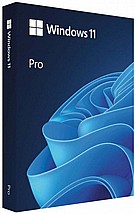
îòøëú äôòìä Microsoft Windows 11 Professional OEM îé÷øåñåôè

ìøëéùä á÷ðééú îçùá çãù áìáã!!!!
îòøëú äôòìä Microsoft Windows 11 PRO 64Bit
àøéæä: OEM.
  • î÷è 1030945
  • àôùøåéåú îùìåç
    àôùøåéåú îùìåç ìîåöø ìáçéøä á÷åôä:
    • àéñåó òöîé áçéðí
    • îùìåç PickUP ìð÷åãåú ðáçøåú áàæåøê òã 15 ÷"â- 2-5 éîé òñ÷éí 0 ¤
    • îùìåç òí ùìéç 2-5 éîé òñ÷éí 40 ¤
    ñâéøä
  • éöøï  Microsoft
  • æîï àñô÷ä òã5éîé òñ÷éí
  • îñôø úùìåîéí  36

îçéø   ¤ 590 ILS 26/8/2027 In stock Microsoft 1030945 1030945

  • +
  • -

ìøëéùä á÷ðééú îçùá çãù áìáã!!!!
îòøëú äôòìä Microsoft Windows 11 PRO 64Bit
àøéæä: OEM.

System requirements

These are the minimum system requirements for installing Windows 11 on a PC. If your device does not meet these requirements, you may not be able to install Windows 11 on your device and might want to consider purchasing a new PC. If you are unsure whether your PC meets these requirements, you can check with your PC Original Equipment Manufacturer (OEM) or, if your device is already running Windows 10, you can use the PC Health Check app to assess compatibility. Note that this app does not check for graphics card or display, as most compatible devices will meet those requirements listed below.

Your device must be running Windows 10, version 2004 or later, to upgrade. Free updates are available through Windows Update in Settings>Update and Security.

Processor 1 gigahertz (GHz) or faster with 2 or more cores on a compatible 64-bit processor or System on a Chip (SoC).
RAM 4 gigabyte (GB).
Storage 64 GB or larger storage device Note: See below under “More information on storage space to keep Windows 11 up-to-date” for more details.
System firmware UEFI, Secure Boot capable. Check here for information on how your PC might be able to meet this requirement.
TPM Trusted Platform Module (TPM) version 2.0. Check here for instructions on how your PC might be enabled to meet this requirement.
Graphics card Compatible with DirectX 12 or later with WDDM 2.0 driver.
Display High definition (720p) display that is greater than 9” diagonally, 8 bits per color channel.
Internet connection and Microsoft account Windows 11 Home edition requires internet connectivity and a Microsoft account.
Switching a device out of Windows 11 Home in S mode also requires internet connectivity. Learn more about S mode here.
For all Windows 11 editions, internet access is required to perform updates and to download and take advantage of some features. A Microsoft account is required for some features.

ì÷åçåú âí àäáå àú äîåöøéí äàìä...

öåø ÷ùø

ãìâ ìúåëï îøëæé